
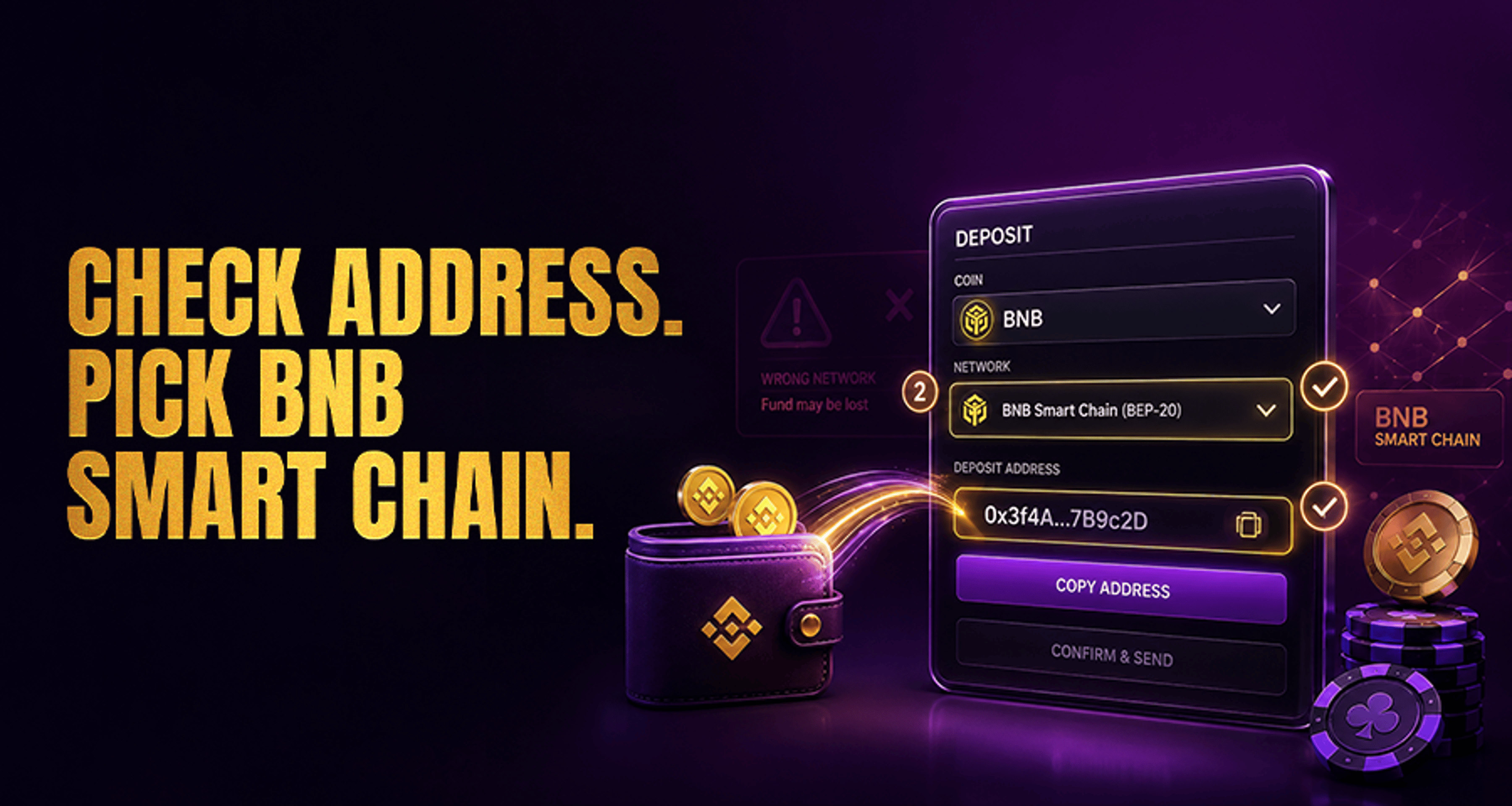
BNB Smart Chain Casino Deposits: Address and Network Checklist
If you are about to fund a casino account with BNB Smart Chain, the most important step is confirming that the casino actually supports BNB Smart Chain deposits for the exact asset you plan to send.
If you are about to fund a casino account with BNB Smart Chain, the most important step is confirming that the casino actually supports BNB Smart Chain deposits for the exact asset you plan to send.
Do not send funds just because you see “BNB” or a familiar wallet address format. The coin or token, the network, and the deposit instructions shown in the casino cashier must all match.
This guide gives you a quick pre-deposit checklist so you can verify the address, network, wallet selection, minimums, fees, and confirmation timing before sending.
What Is a BNB Smart Chain Casino Deposit?
A BNB Smart Chain casino deposit is a crypto deposit sent through BNB Smart Chain, which most users will see labeled as BEP-20 in wallets and payment screens.
In simple terms, this means:
You are sending BNB or a token that runs on BNB Smart Chain
The casino must support that specific asset on the BEP-20 network
Your wallet must also be set to send on BNB Smart Chain, not a different network with a similar name
This is why the cashier page matters more than assumptions. Even if a casino accepts crypto in general, that does not mean it accepts every BNB-based asset or every BNB-related network.
If you are still comparing deposit options, it can help to review online casino payment methods before choosing a crypto route.
BNB Smart Chain vs Other Networks: What You Must Match Before Sending
Before you deposit, make sure you are matching the exact network requested by the casino. For this article, the key point is that BNB Smart Chain = BEP-20 in most user-facing deposit menus.
That matters because users sometimes confuse BNB Smart Chain with:
BNB Beacon Chain
Other BNB-labeled transfer options
Token versions of the same asset on a different chain
Unrelated networks that happen to support similarly named tokens
The safe rule is simple: send only on the network shown inside the casino deposit page.
A casino may provide a deposit method for:
BNB on BNB Smart Chain
A specific BEP-20 token on BNB Smart Chain
A completely different network for the same ticker symbol
So both pieces must match:
The asset you are sending
The network used to send it
If either one is wrong, your deposit may fail, be delayed, or require manual support review. For a broader look at tradeoffs between speed, fees, and usability, see this guide to casino payment methods comparison.
BNB Smart Chain Casino Deposit Address and Network Checklist
Use this checklist every time before you send funds.
1. Confirm the casino supports BNB Smart Chain deposits
Open the casino cashier or deposit page and check whether it supports:
BNB Smart Chain
BEP-20
The exact coin or token you want to deposit
Do not rely on old screenshots, memory, or a wallet app suggestion. Check the live deposit page directly.
2. Verify whether the deposit is for BNB or for a BEP-20 token
This step is easy to miss. Some deposit pages support:
BNB only
A specific token on BNB Smart Chain only
Multiple assets, each with separate instructions
If the cashier says to deposit a token, do not send BNB instead. If it says BNB, do not send a different BEP-20 token just because it uses the same network.
3. Copy the deposit address from the cashier page
Always copy the destination address directly from the casino deposit screen right before sending.
Then:
Paste it carefully into your wallet
Compare the first and last characters
Make sure you did not reuse an old saved address from a previous deposit flow
The safest source is the active cashier page, not a note, message, or previously copied address.
4. Confirm your wallet is set to BNB Smart Chain
Inside your wallet or exchange withdrawal screen, make sure the selected network is:
BNB Smart Chain
BEP-20
Do not assume the app will choose correctly for you. Some apps show multiple transfer options for similar assets.
5. Check the minimum deposit amount
Many casinos set a minimum deposit for each crypto method. If you send less than the required amount, the funds may not credit automatically.
Before sending, check:
Minimum deposit threshold
Whether the minimum applies to the coin or token you selected
Whether small deposits require manual support review
If you are planning a larger transfer, it is also smart to understand possible crypto casino transaction limits and withdrawals.
6. Review network fees before sending
Your wallet, exchange, or sending platform may charge a network or withdrawal fee. Make sure you know:
What fee will be deducted
Whether that affects the final amount arriving
Whether the remaining amount still stays above the casino’s minimum deposit
7. Check expected confirmation timing
BNB Smart Chain deposits may appear quickly, but actual credit timing depends on the casino’s internal confirmation rules.
Before sending, check whether the cashier mentions:
Required blockchain confirmations
Processing delays during busy periods
Manual review for some deposits
Avoid assuming the balance will show instantly.
8. Consider a small test transaction for larger deposits
If you are sending a larger amount, a small test transaction can reduce the chance of a costly mistake.
This is especially helpful when:
It is your first deposit to that casino
You are using a new wallet or exchange
You are sending a token instead of plain BNB
The deposit method has special instructions
How to Confirm You’re Sending the Right Coin to the Right Address
A quick final check before pressing send:
Is the casino deposit method specifically for BNB Smart Chain / BEP-20?
Is the asset exactly BNB or the exact BEP-20 token requested?
Is the deposit address copied from the live cashier page?
Is your wallet set to the same network shown by the casino?
Is your amount above the minimum after fees?
If any answer is unclear, stop and re-check the cashier instructions first.
Do You Need a Memo or Tag for BNB Smart Chain Deposits?
In many cases, a memo or tag is not used for standard BNB Smart Chain wallet deposits. But you should not guess.
The correct rule is: follow the cashier instructions shown for that specific deposit method.
If the casino deposit page shows:
An address only, use the address exactly as shown
An address plus extra reference information, include that reference exactly as instructed
Do not assume one casino’s setup matches another.
What Happens If You Use the Wrong Network?
Using the wrong network is one of the most common crypto deposit mistakes.
Possible outcomes include:
The deposit does not arrive automatically
The casino cannot credit it without manual investigation
Recovery may be difficult or not supported
Support may ask for transaction details and still be unable to resolve it quickly
That is why you should never treat all BNB-related transfer options as interchangeable. A familiar asset name does not guarantee a valid deposit path.
BNB Smart Chain Deposit Delays: Common Causes and Next Checks
If your deposit has not shown up yet, check these points first:
Pending confirmations
The transaction may still be waiting for the number of confirmations required by the casino.
Wrong asset or unsupported token
You may have sent a token the casino does not support for that deposit method.
Wrong network selected
You may have sent using a different network than the one listed in the cashier.
Amount below minimum
A deposit below the minimum threshold may not credit automatically.
Internal processing time
Even after the transaction is visible on-chain, the casino may need additional processing time.
If needed, gather the transaction hash, the asset sent, the network used, and a screenshot of the casino deposit instructions before contacting support.
FAQ
What is the difference between BNB Smart Chain and BNB Beacon Chain for casino deposits?
For deposit purposes, the important point is that they are not the same transfer option. If the casino asks for BNB Smart Chain (BEP-20), send only on that network.
Can I send BEP-20 tokens to any casino deposit address?
No. The casino must support the specific token and the BNB Smart Chain network for that exact deposit method.
Do BNB Smart Chain casino deposits need a memo or destination tag?
Usually you should follow whatever the cashier page shows for that deposit method. If it displays extra instructions, use them exactly as shown.
What happens if I send my casino deposit on the wrong network?
The deposit may not credit automatically, and recovery may be difficult. You should collect the transaction details and contact the casino’s support team.
How long do BNB Smart Chain casino deposits usually take to show up?
Timing varies by casino, blockchain confirmations, and internal processing. Check the cashier page for confirmation expectations before sending.
Should I send a small test transaction first?
For larger deposits, yes, that is often a sensible precaution.
Final Check Before You Send
Before completing your deposit, return to the casino cashier and confirm the exact asset + network combination shown there. Then proceed only if your wallet, address, and amount all match the deposit instructions.
If you want a wider overview of payment choices before funding your account, review the casino’s crypto deposit or cashier help flow alongside its supported payment methods.





